











Price: $19.99 - ($12.00 / count)
(as of Jan 17, 2026 00:58:06 UTC – Details)
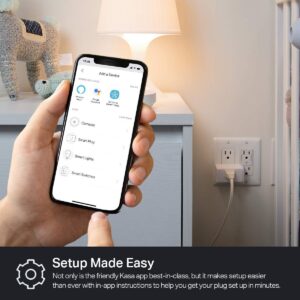
The HS103 Kasa smart plug is the easiest way you can start controlling lamps, fans, humidifiers and other home electronic appliances. With it adding voice control to any outlet, you could also enjoy the hands-free convenience. The Kasa app contains not only all the feature you expect from TP-Link Kasa family, but also guidance for you through each step of the installation to connect your smart plug with your home Wi Fi, Alexa or Google assistant.
Voice Control: Add voice control to any outlet. Enjoy the hands-free convenience of controlling any home electronic appliances with your voice via Amazon Alexa or Google Assistant.
Control From Anywhere: Turn electronics on and off from anywhere with your smartphone using the Kasa app, whether you are at home, in the office or on vacation.
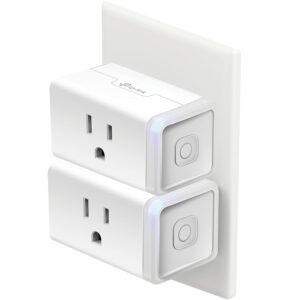
Scheduling: Use timer or countdown schedules set your smart plug to automatically turn on and off any home electronic appliances such as lamps, fan, humidifier, Christmas lights etc. The button on the side of each HS103 Smart Plug will toggle the power state of the Smart Plug, and the appliance connected to it.
Easy Set Up and Use: 2.4GHz Wi-Fi connection required. Plug in, open the Kasa app, follow the simple instructions and enjoy.
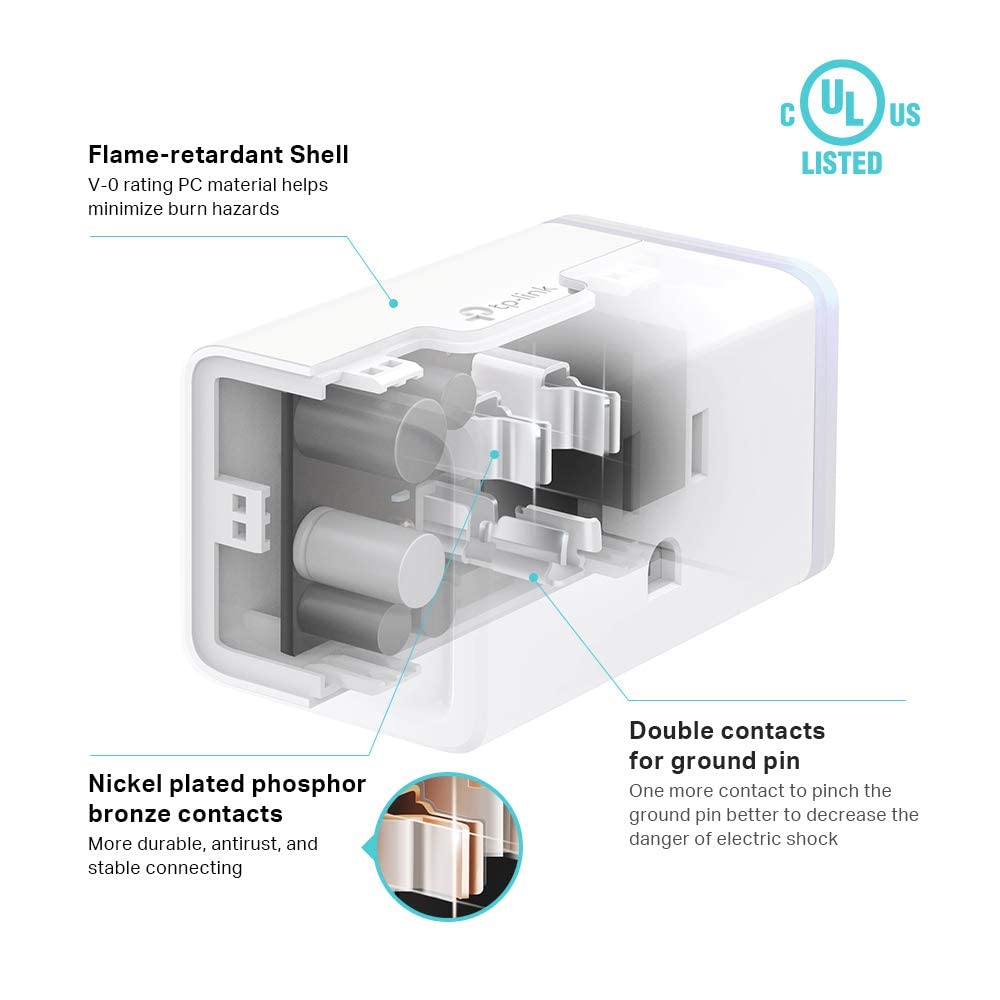
Trusted and Reliable: Designed and developed in Silicon Valley, Kasa is trusted by over 4 Million users and being the reader’s choice for PCMag 2020. UL certified for safety use.
Maximum Load *for The New Version : 15 Amps Resistive @ 120VAC*
13 reviews for Kasa Smart Plug HS103P2, Smart Home Wi-Fi Outlet Works with Alexa, Echo, Google Home & IFTTT, No Hub Required, Remote Control,15 Amp,UL Certified, (Pack of 2) White
Add a review
Related products


- SAR: ﷼93.75
- PKR: ₨ 6,952.22
- AED: AED91.78


- SAR: ﷼135.02
- PKR: ₨ 10,012.42
- AED: AED132.18


Electronics
- SAR: ﷼150.02
- PKR: ₨ 11,125.22
- AED: AED146.87


- SAR: ﷼97.50
- PKR: ₨ 7,230.42
- AED: AED95.45


- SAR: ﷼74.99
- PKR: ₨ 5,561.22
- AED: AED73.42


- SAR: ﷼89.02
- PKR: ₨ 6,601.69
- AED: AED87.15


- SAR: ﷼90.90
- PKR: ₨ 6,740.79
- AED: AED88.99

Electronics
Mini Handheld USB Fan – Colorful Rechargeable Portable Fan for Summer | Desk & Travel Use
- SAR: ﷼15.01
- PKR: ₨ 1,112.80
- AED: AED14.69
MI –
Rock-solid reliable matter plug, works perfect
As with any other Kasa product, it works and does its job well. Setup is super easy, and plugs are very reliable and quick to respond. Matter over WiFi integration is the main reason I got this plug, and that works perfectly as well. The energy monitoring is also nice to have.When setting it up initially, I recommend setting it up in Matter first, then the Kasa app should pick it up and allow you to add it to the Kasa app for energy monitoring/scheduling/firmware. In my experience, if you set it up in the Kasa app first then try to add it to Matter, it won’t work.
Kevin T. Eckert –
Smart plug indeed
These smart plugs enabled me to link all my Christmas lights. All I have to do now is hit one button on my phone to turn off my Christmas lights before bed. The setup was pretty easy and only took me about five minutes. I now have full control of anything that gets plugged into this smart plugs. This product seems to be a high quality piece of electronics.
Ryan L Randall –
5-Star Plug! (Especially for SmartThings Users)
I’ve went through a lot of plugs in my day. I also own 6 of these plugs, and this plug earned its “5-Star” review. If you are a SmartThings user, you will really like this plug. After you hookup this plug to SmartThings, you will see that the plug works with SmartThings’ “Energy Mode” in the “Life” section. You can use the “AI Energy” mode in SmartThings to save energy on whatever is connected to this plug.This device can first connected to either TP-Link App, “Kasa” or “Tapo”. In both of these Apps, you will see live power control as well as the history. There is also a “Power Protection” mode that turns off the device if it exceeds “X” amount of power.Using matter to connect this plug is extremely fast and simple. 2 plugs can easily connect to the same wall outlet. This plug is white without writing all over it. The only writing is on the sticker with the matter code on the side. This allows the matter code to be easily scanned in. Also, you can change the icons to match the device, but the selection is limited. 17 icons.If you have many things that need to be plugged-in around the same area, I would recommend a TP-Link Smart Power Strip. These are nice because you can connect up to 6 devices in one power strip, and they will stay nested under that one device. Otherwise, you will just end up with screens and screens of individual plugs.If you do need individual plugs, I would recommend getting these. Remember, these plugs connect via matter. If you don’t have a matter connection, you will have to get a different plug. If you do buy them, you won’t regret it. I sincerely hope this helps out someone to get the info they need.
Brad T. –
Plug seems to work ok
I’ve only had the plugs for a couple days. I currently have 4 Wyze plugs in the home but wanted to add other lamps, fans, etc to the smart family lol. I’ve heard about these plugs so wanted to give them a shot as they saved me nearly 10 dollars on four plugs vs Wyze, plus the “mini” size sounded like a better fit.Upon opening, not really “mini” but are a little smaller than my current plugs so guess I’ll give them a pass. The setup got to be a little frustrating at first. They would not see the plug so had to exit setup and unplug it, then plug back in and restart. It seen it 2 nd time around and I started the setup. It stated it was changing my wifi temporarily to connect directly to the plug. I didn’t see my wifi settings change but 🤷. Then the next screen asked me to change my wifi back to my home, which it was already on. So you have to click already connected before it would finish the setup.once connected it asked you to choose the location and name it. (As all do). All in all took about 5 mins to connect 1 plug counting the firmware update. (20 mins in total).They were able to connect to both Google home and Alexa aomewhat smoothly.They seem to be working well as of now.Conclusion is they seem to work as a smart plug should. Setup has some connection issues. App seems straight forward but haven’t really done much other than set a schedule for the lights.Comparing them to Wyze, I probably should have stuck with them. Wyze was simple to setup only a couple mins per plug with 0 issues. Connected to Google home and Alexa quick and have great range. So if you have to link already or changing over all your plugs not a bad choice with these. Just know the setup can be a little bit more than some.
Michael Sarni –
Excellent Product ! Easy Setup and Alexa Control !!
These were very easy to set up and worked perfectly right away with my Alexa. For me they Enabled quick Alexa voice control of a normal lamp and a window installed air conditioner.
Philly Roll –
Convenient and reliable
These have been incredible for setting our Christmas trees on scheduled timers this holiday season. The app that I downloaded in order to manage them is very easy to navigate and use. I plan on using these smart plugs for lamps in my home once the trees are put away soon.
Chaosta –
Works perfect.
Works amazingly for my 3d printer and food dehydrator (filament dryer). My dryer doesnt have a timer nor a off button, and my printer doesnt have a auto off on idle mode, so the fact I can schedule them to turn off after they are done is amazing.Works perfect with google home aswell.Great deal for 2 plugs
Schwartz –
Excellent product, using it to turn on and off my Christmas lights
Our Christmas lights are plugged into an extension cord coming from our garage. Initially, I used a timer to turn the lights on or off, but the timer had to be mounted outside,, and because inclement weather, I was having problem with the timer. So this year, I was having to go out to the garage plug in the lights when I wanted it on and unplugged the next extension cord when I wanted to shut them off. Then I came up with the idea of buying a smart plug. I installed it today, and it works perfectly, I can say Alexa Xmas lights on from my recliner in the living room, and it works perfectly. No more going out to the cold garage to turn the Christmas lights on or off.
Cliente de Amazon –
Tapo, lo mejor.
Janghun –
I’ve been using these smart plugs with a rice cooker and an electric heating pad, and they’ve been very practical for daily use.For the electric heating pad, the scheduling feature is especially useful. I set it to automatically turn off after 10 a.m., so I don’t have to worry about forgetting to unplug it. It’s great for safety and also helps reduce unnecessary power usage.I also connected one plug to our rice cooker, and it makes it much easier to cut off power when it’s not in use. Instead of unplugging it manually every time, I can simply turn it off from my phone, which is very convenient—especially before leaving home or going to bed.Setup was quick and straightforward, and the energy monitoring feature is a nice bonus for keeping track of electricity usage. It works well with Apple Home, Alexa, and Google Home, and the compact size doesn’t block nearby outlets.Overall, this is a reliable and easy-to-use smart plug. Highly recommended for appliances like heating pads or kitchen devices where automatic shutoff and power control are useful.
Alex –
Excelente producto, tengo uno en cada contacto de casa, los tengo programados para que prendan cuando los necesito y apaguen a ciertas horas o cuando no estoy. Me ayudan a cuidar las baterías de mis dispositivos al no cargar todo el tiempo, me facilita la vida dejando de recordar desconectar cosas y además me sirven para prender y apagar lámparas de piso desde la app.La app y la instalación son de fácil uso (configurarlo puede dar problemas si tu red es 5hz y no 2.5hz)
Luis J. –
Compre estos enchufes para utilizarlos para encender algunos reflectores y lampara que están en el patio. Tengo 5 meses con ellos y funcionan de maravilla, no he tenido problema alguno con ellos siendo que están a la interperie debajo de una marquesina por lo cual no les da el sol directamente ni la lluvia pero el polvo y otros factores si.en cuestión de conectividad tienen buen alcance tengo uno que esta en el primer piso y mi router esta en el segundo piso de extremo a extremo de la casa y nunca he tenido problema con la conectividad de red. El otro punto es que se sincronizan bastante bien con Alexa se encienden con rutina o por comando de voz, también tenemos la App Oficial la cual nos permite encenderlos o apagarlos estando fuera de la Red interna osea fuera de casa. lo que no he podido lograr es que interactuen con otros dispositivos como las cámaras (ni con las cámaras de TPLink) para cuando detecten un movimiento enciendan las luces.El empaque la verdad es muy simple una cajita de cartón natural que aparenta como si el producto fuera reconstruido pero no, los enchufes son totalmente nuevos. El precio pues esta al precio de Enchufe de amazon solo que aqui son 2 enchufes.
Amazon Customer –
Worked perfect, easy to setup