







Price: $249.99 - $199.90
(as of Jan 17, 2026 18:30:44 UTC – Details)
Product description
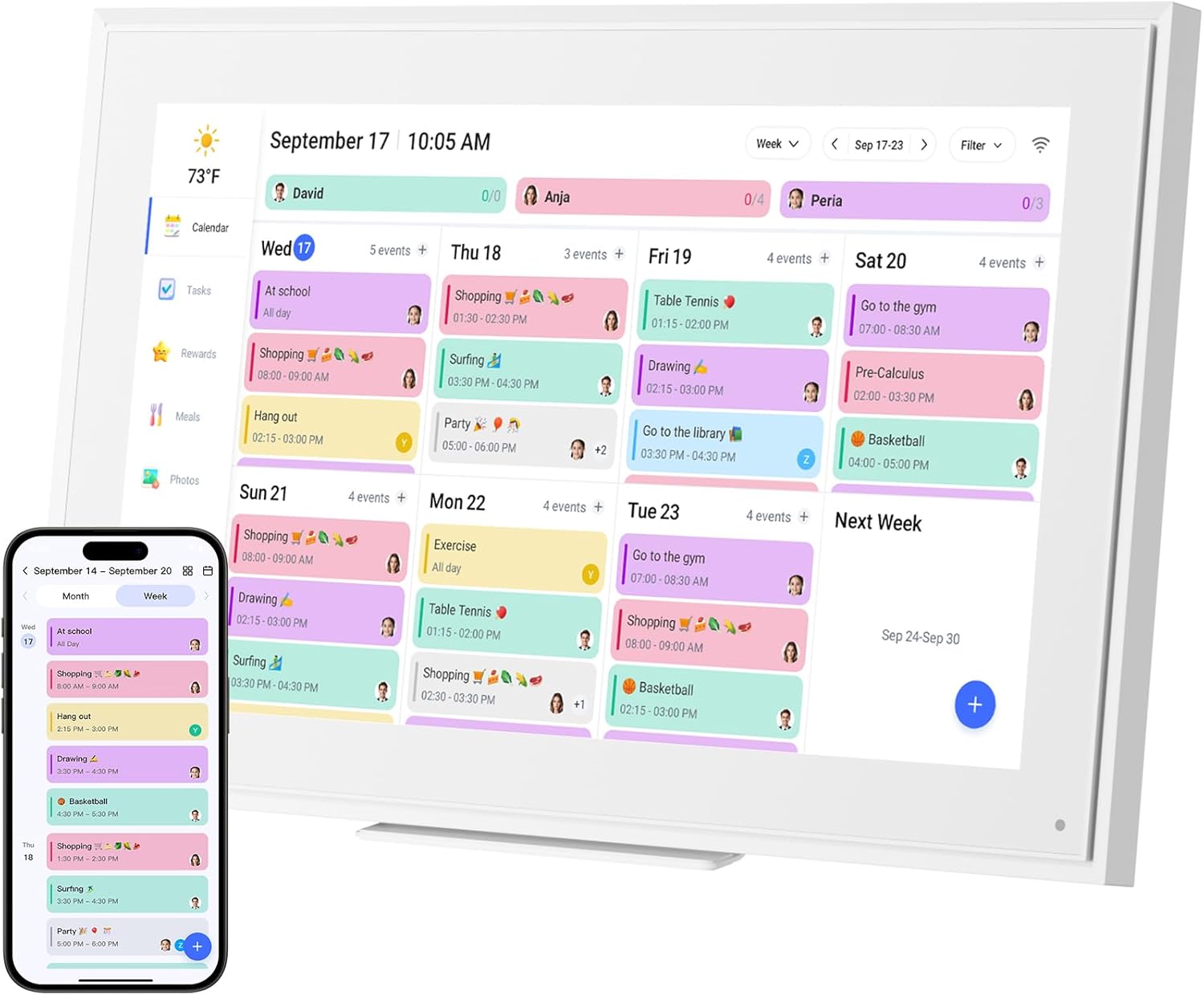
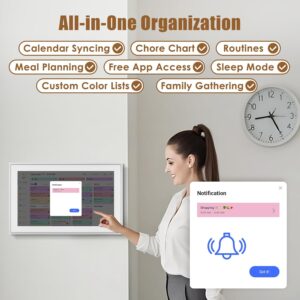
Ultimate Smart Wall Planner Calendar-Seamless Event Syncing 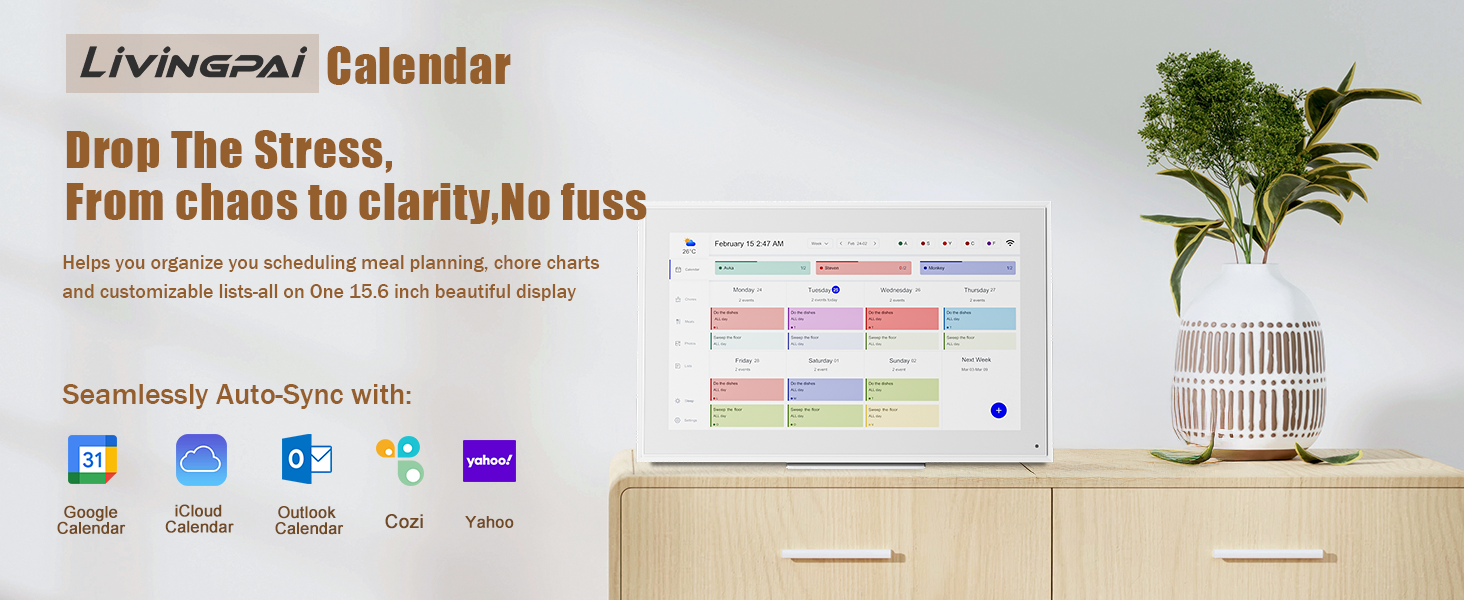
 Personalize List -Color Code/Tag Names
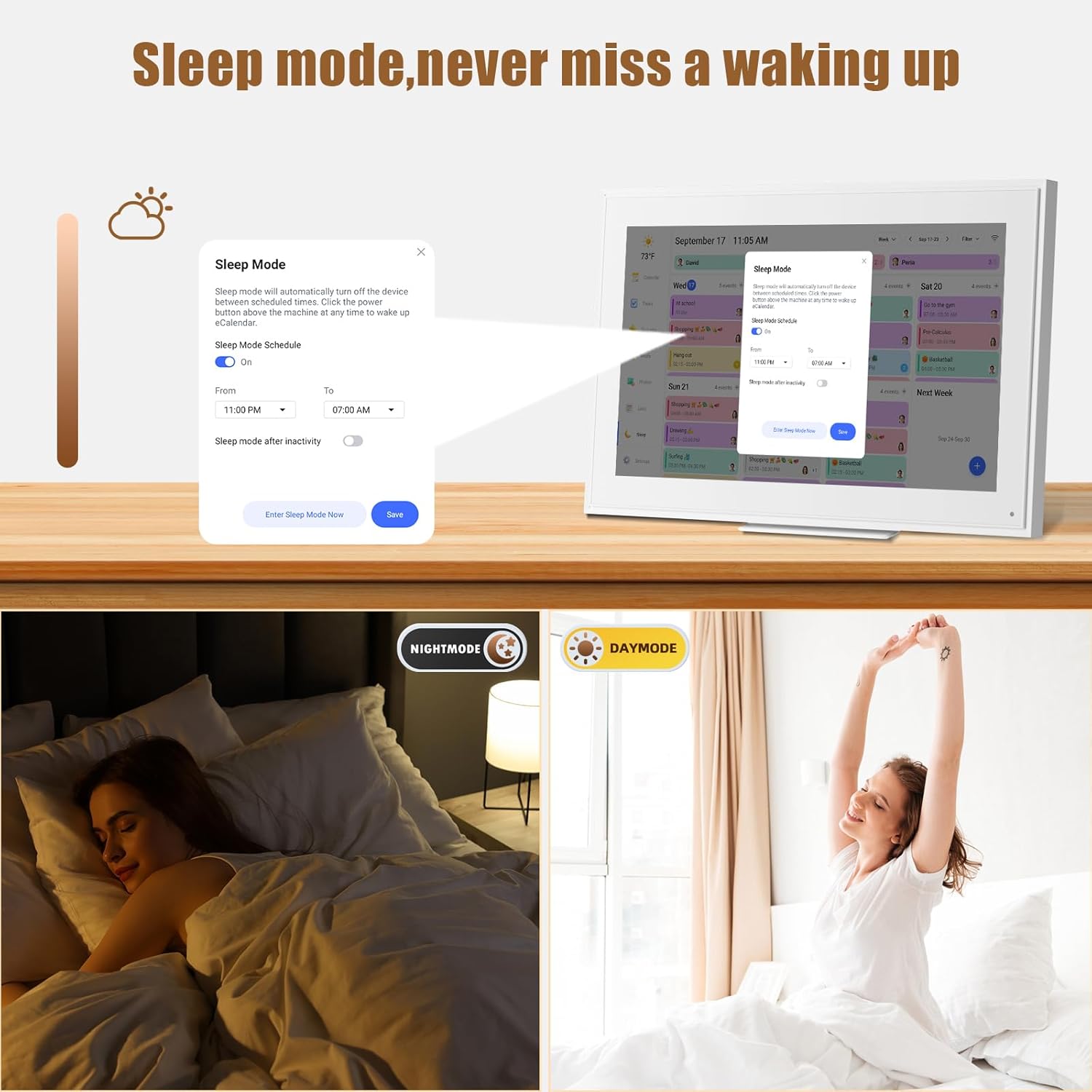
  Turn on Sleep Mode – Please Set The Time First
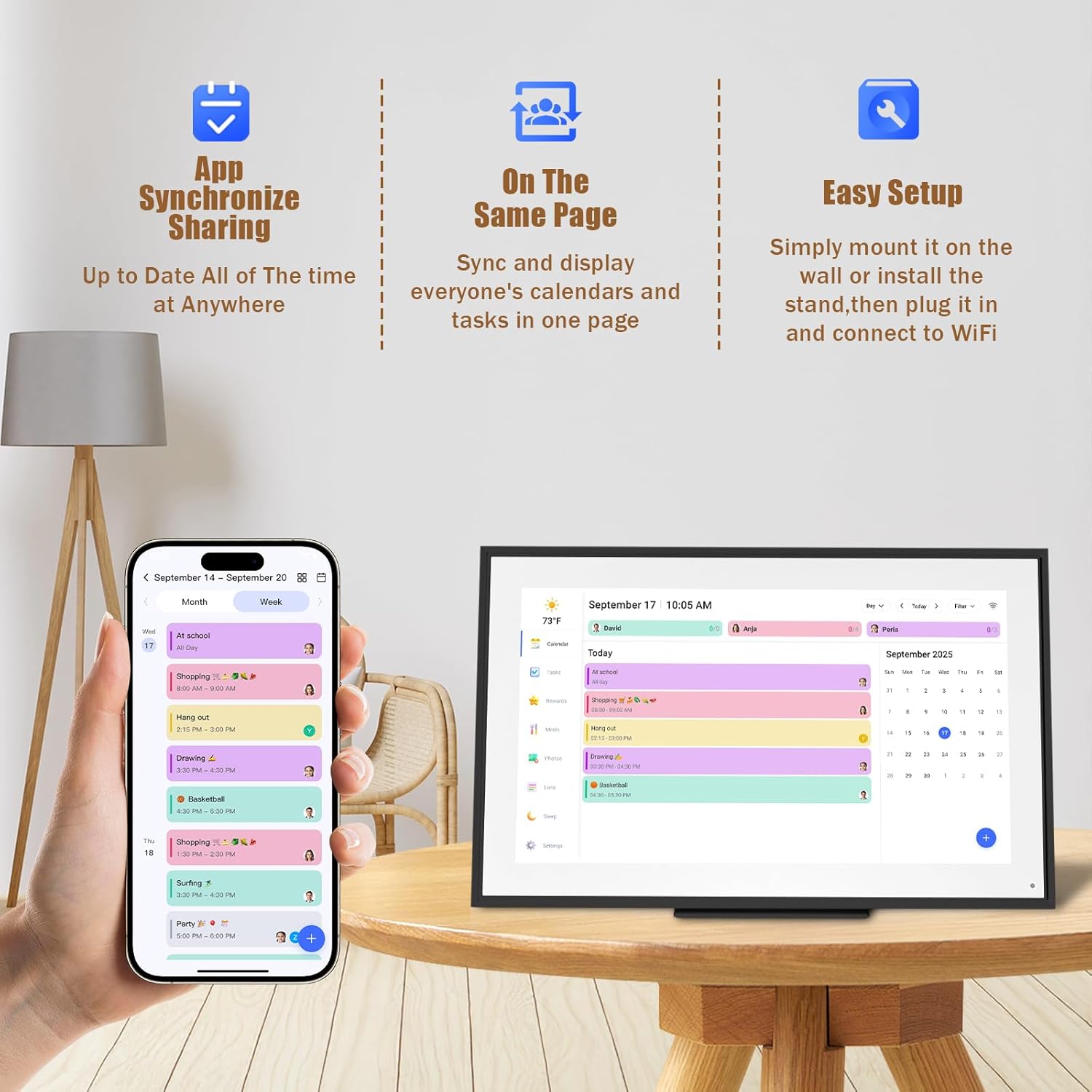
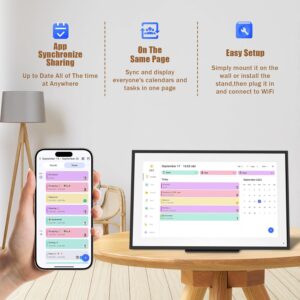
 Easy to Sync-On The Same Page
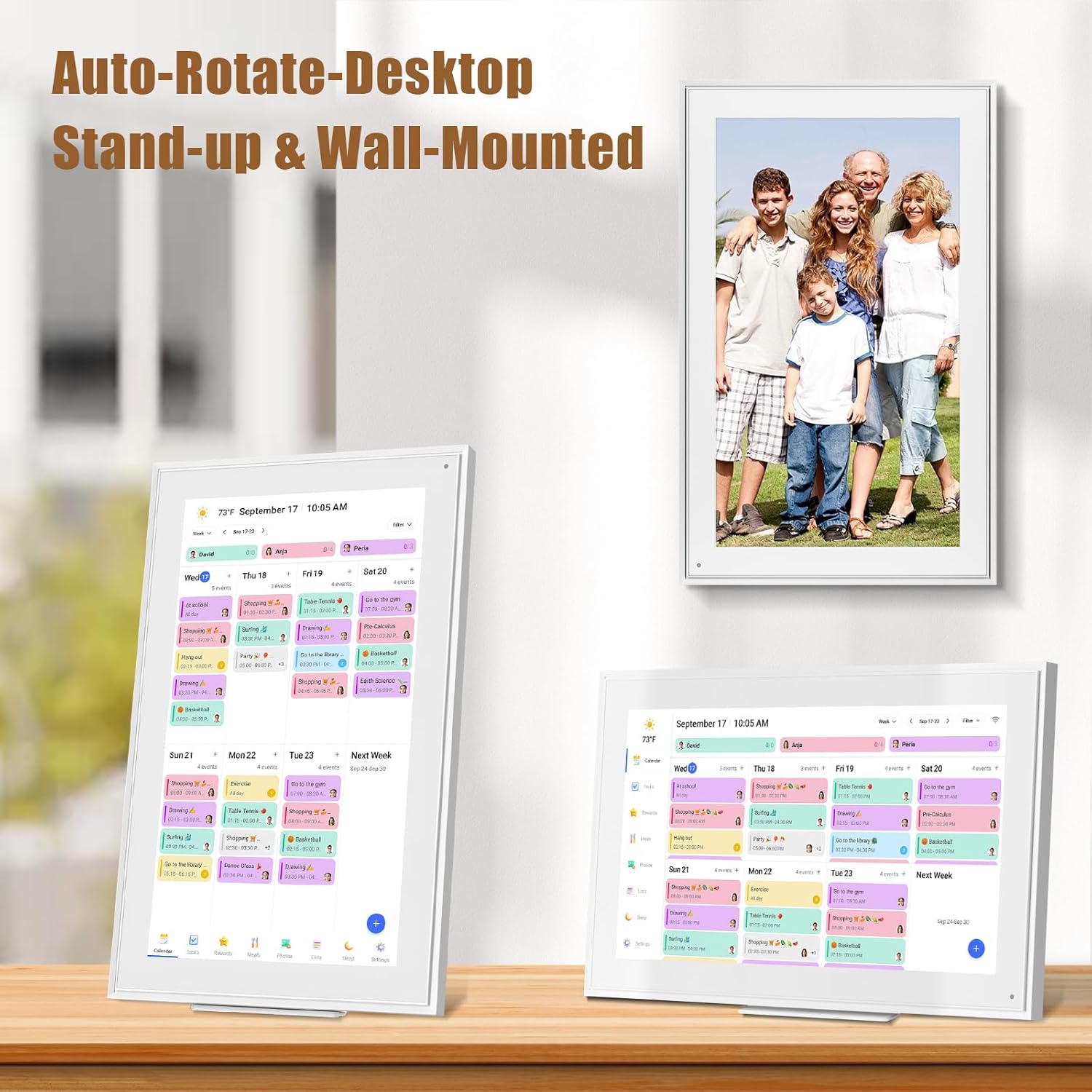
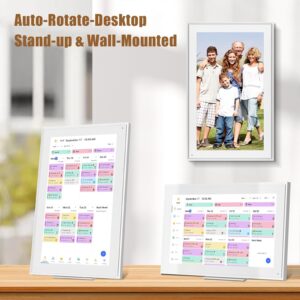
  Mount- Horizontally/Vertically
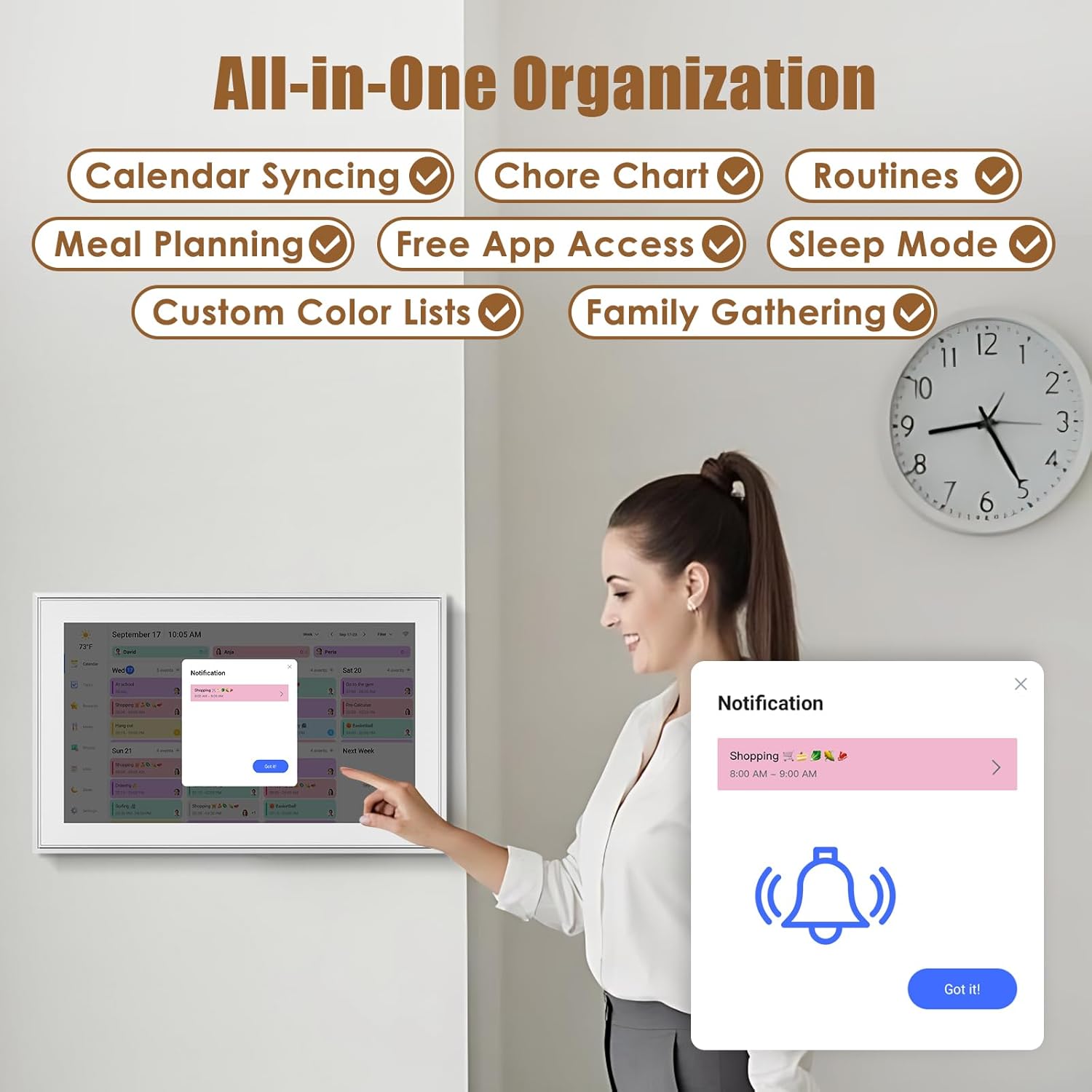
1 Customize Alarm Reminder
2 Smart Sleep Mode
3 App Send Photos & Videos
4 Smartphone APP Syncing
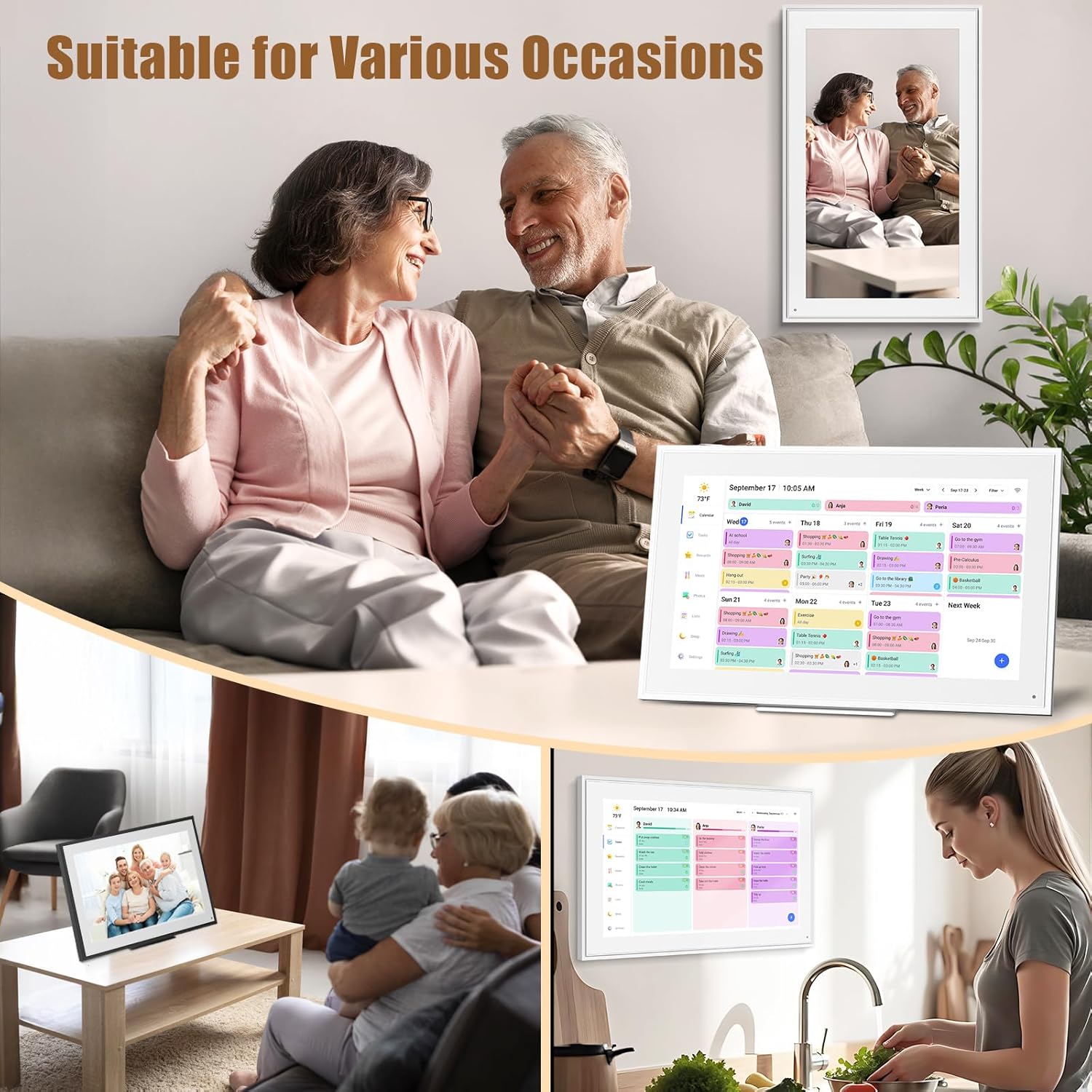
5 Multiple Scenes
Impressive Features-Personalization Design 
Perfect Gift for You Lover 
User Guide: Operating Videos How to register an account and log in ?
step1:Turn on your eCalendar, select language, connect to wifi
step2:choose the time zone and city,then enter your 6-digit activation code to get started.
The video showcases the product in use.The video guides you through product setup.The video compares multiple products.The video shows the product being unpacked. How to register an account and log in Merchant Video
The video showcases the product in use.The video guides you through product setup.The video compares multiple products.The video shows the product being unpacked. How to edit Chores Merchant Video
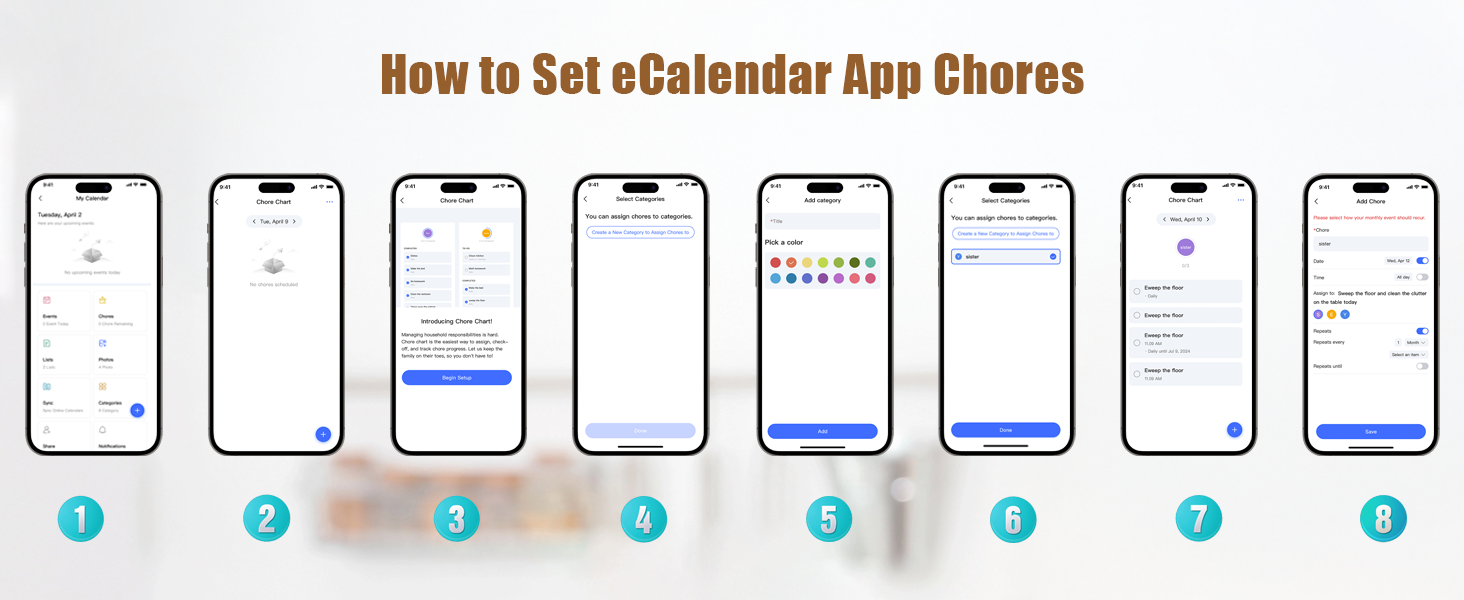
How to edit Chores ?
Step 1:Press “+”button in the bottom right of the Chores screen to add a chore.
Step 2:Name the chore and assign it to as many members of the family as you would like.This will create a separate chore for each member.
Step 3:Press Save and your chores will be created.
Notice:If you want the chore to happen every day, week, or month, toggle on Repeats.
How to edit Lists ?
step1:Tap the Lists icon in the sidebar to open lists.
step2:Tap the arrow next to the list name, such as Shopping List.
step3:Press +New List, Enter the new list name and choose a color and list type.
step4:Tap a list, and add items.
The video showcases the product in use.The video guides you through product setup.The video compares multiple products.The video shows the product being unpacked. Touch Digital Calendar Merchant Video
The video showcases the product in use.The video guides you through product setup.The video compares multiple products.The video shows the product being unpacked. post photos Merchant Video
How to post photos ?
step 1:Click on the photo option on the eCakendar App page
step 2:Select a photo on your phone
step 3:Enter the calendaremail address
How to synchronize the calendar ?
Notice:Syncing can only be done through the app.
step1:Open Sync in the home screen.
step2:Select “Sync a New Calendar”.
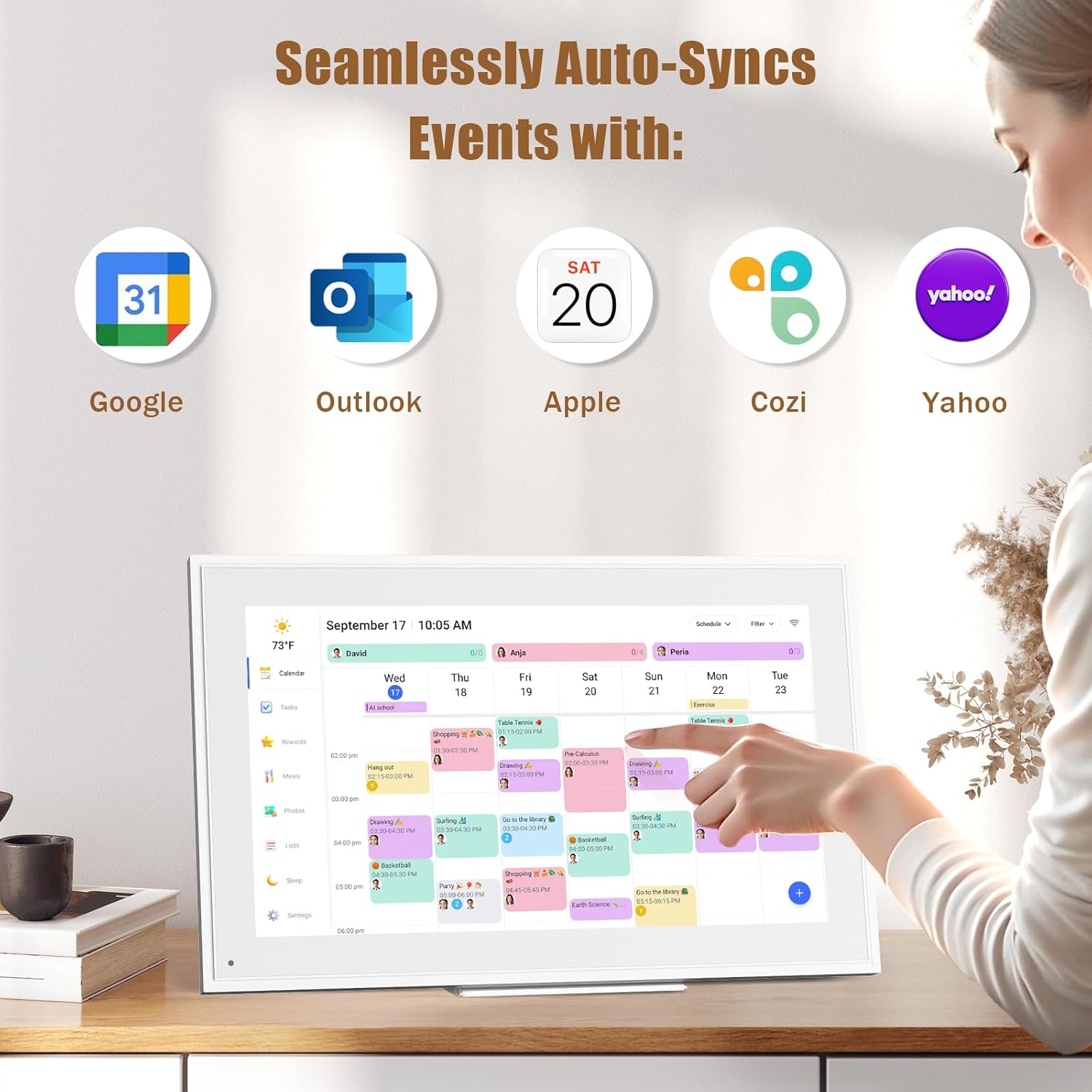
When you sync a source calendar (like Google, iCloud, Outlook) with eCalendar any changes on your source calendar will automatically show up on the digital calendar.
The video showcases the product in use.The video guides you through product setup.The video compares multiple products.The video shows the product being unpacked. How to synchronize the calendar Merchant Video
The video showcases the product in use.The video guides you through product setup.The video compares multiple products.The video shows the product being unpacked. How to set the alarm clock in sleep mode Merchant Video
How to set the alarm clock in sleep mode ?
step 1:Tap the moon icon located in the bottom of the sidebar.
step 2:Toggle on Sleep Mode Schedule and choose a time for your Calendar to go to sleep and to wake up. Press Save to confirm.
Notice:When your Calendar is in Sleep Mode, you can tap the power button at any time to wake the device up.


 Lists-Personalize Color Code
Customize your calendar-just touch you screen with colors and unique tag names.
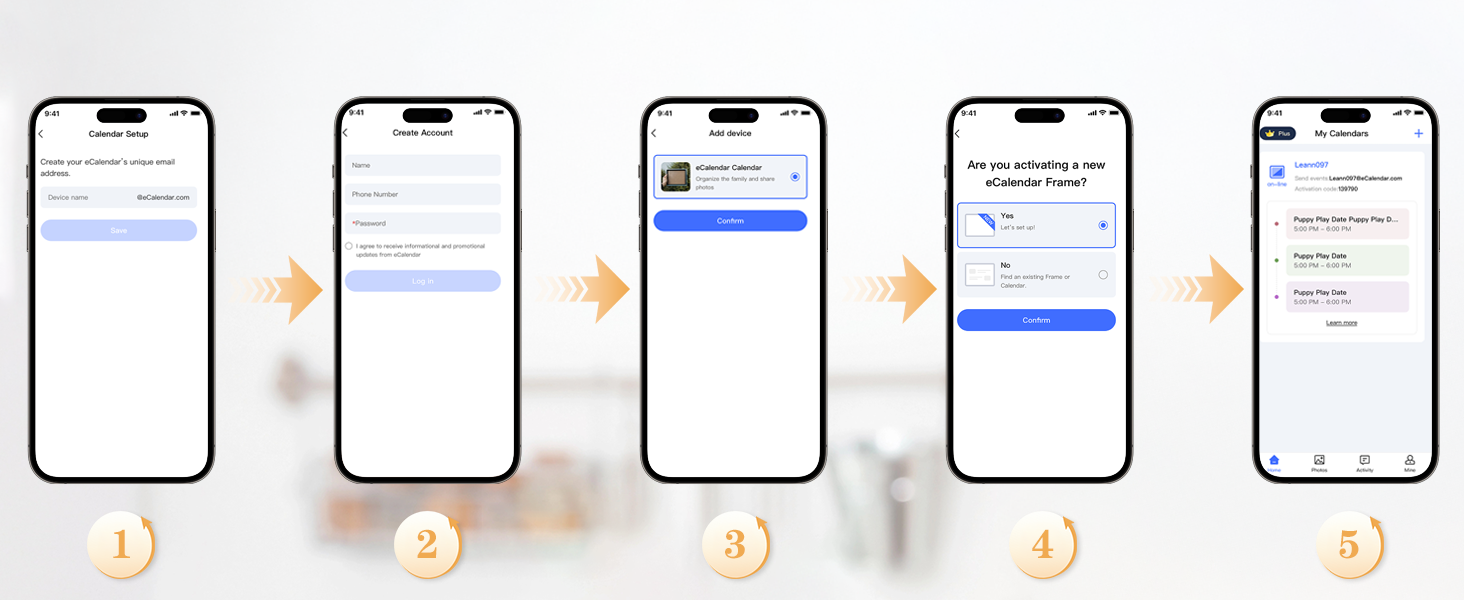 Download Free APP eCalendar-Daily Planner
App Access-Simple setup – automatic synchronization
✔️𝐀𝐥𝐥-𝐈𝐧-𝐎𝐧𝐞 𝐒𝐦𝐚𝐫𝐭 𝐅𝐚𝐦𝐢𝐥𝐲 𝐂𝐚𝐥𝐞𝐧𝐝𝐚𝐫: WiFi-connected touch digital calendar combined with a digital planner ,the crystal-clear 15.6″ FHD touchscreen with chore chart and to do list notepad, generates the whole new calendar, which makes your family organized and stays every schedule on track. Assign unique colors and chores to each family member,making family scheduling simpler and more intuitive.Ideal gift for students,mom,lover,grandparents,parter,colleague,professionals, and families..
✔️𝐈𝐦𝐩𝐫𝐞𝐬𝐬𝐢𝐯𝐞 𝐅𝐞𝐚𝐭𝐮𝐫𝐞𝐬 & 𝐄𝐚𝐬𝐲 𝐭𝐨 𝐒𝐞𝐭-𝐔𝐩/𝐀𝐮𝐭𝐨-𝐒𝐲𝐧𝐜:Seamless calendar synchronization,Just plug in the device, connect to Wi-Fi and sync your calendars.all your events will automatically populate and sync. Add events or chores directly on the device or use the free to download mobile app.ensuring your family stays organized and no tasks are missed. Compatible with icloud Calendar, Google Calendar, Outlook Calendar, Cozi, and Yahoo,easying management and sharing of your schedule across all your devices.Authorize additional devices for even greater convenience.
✔️𝟏𝟓.𝟔 𝐈𝐧𝐜𝐡 𝐈𝐏𝐒 𝐇𝐃 𝐓𝐨𝐮𝐜𝐡𝐒𝐜𝐫𝐞𝐞𝐧 𝐃𝐢𝐬𝐩𝐥𝐚𝐲:The 15.6” WiFi digital picture frame is featured with a high-quality HD 1980*1080 Resolution IPS touch screen which allows you to get a wonderful picture visual from any angle. Perfect for displaying your family calendar and photos in high resolution.,Whether you’re checking schedules, managing household chores, or viewing photos, everything is displayed with outstanding visual quality, enhancing the overall user experience.Customizable color-coding and adjustable fonts ensure readability for all ages- ideal for grandpa’s/grandma’s clear viewing.
✔️𝐈𝐧𝐭𝐞𝐫𝐚𝐜𝐭𝐢𝐯𝐞 𝐂𝐡𝐨𝐫𝐞 𝐂𝐡𝐚𝐫𝐭 𝐚𝐧𝐝 𝐌𝐞𝐚𝐥 𝐏𝐥𝐚𝐧𝐧𝐢𝐧𝐠:Compatible with a free downloadable mobile app, you can conveniently add, edit, and manage activities, chores, and meal plans from your phone. This seamless mobile synchronization allows you to update and view your family calendar anytime, anywhere, enhancing flexibility and convenience. It’s highly functional for families with busy schedules, making remembering and managing multiple activities easier.
✔️𝐌𝐚𝐧𝐚𝐠𝐞 𝐟𝐫𝐨𝐦 𝐀𝐧𝐲𝐰𝐡𝐞𝐫𝐞 & 𝐒𝐭𝐚𝐲 𝐂𝐨𝐧𝐧𝐞𝐜𝐭𝐞𝐝 𝐰𝐢𝐭𝐡 𝐟𝐚𝐦𝐢𝐥𝐲 𝐦𝐞𝐦𝐛𝐞𝐫𝐬:Stay connected with the powerful eCalendar App. Access and manage your calendar on the go, with free features like a photo frame, chore chart, dinner plan, grocery list, and more. OnesInstantly update your life moments and send instant or timed wishes to the photo frame at any time anywhere. Stay connected with family, especially for those who live in a distance. It helps to stay close to your family members, it is a perfect gift for the elder to feel connected with the young generation.
🎁𝐏𝐞𝐫𝐟𝐞𝐜𝐭 𝐆𝐢𝐟𝐭: Perfect gift for Thanksgiving, Christmas, Wedding, Birthday, Mother’s Day, Father’s Day, Valentine’s Day, and so on. It has multi-functions, such as photos/videos, sleep mode, adjustable brightness. Customize your digital wall calendar touch screen with colors and unique tag names.Share your calendar with friends, family, or colleagues and coordinate plans effortlessly. Can view and edit the calendar the same time, Support permission classification, Assign tasks to multiple person and track project progress.With a removable stand, you can place it in both landscape and portrait mode. The wall mount hole on the back also allows users to mount it to the wall.
✔️𝐁𝐞𝐬𝐭 𝐂𝐮𝐬𝐭𝐨𝐦𝐞𝐫𝐬 𝐒𝐞𝐫𝐯𝐢𝐜𝐞𝐬 & 𝟏𝟎𝟎% 𝐍𝐨𝐧𝐞-𝐖𝐨𝐫𝐫𝐲 𝐖𝐚𝐫𝐫𝐚𝐧𝐭𝐲: We provide a one-year warranty service and 24-hour online customer services for assisting you with any needs. If you encounter any problem, please feel welcome to tell us on Amazon, we definitely give you a satisfactory solution.
13 reviews for 15.6-inch Wall Digital Calendar,Smart WiFi Calendar & Chore Chart,Full HD Touchscreen Interactive Display for Family Schedules-Wall/Desk Mountable Planner,Meeting Reminders & Deadline Tracking
Add a review
Related products


- SAR: ﷼262.64
- PKR: ₨ 19,474.72
- AED: AED257.03


- SAR: ﷼19.70
- PKR: ₨ 1,460.81
- AED: AED19.28


- SAR: ﷼97.53
- PKR: ₨ 7,231.72
- AED: AED95.45


- SAR: ﷼187.59
- PKR: ₨ 13,909.72
- AED: AED183.58


Electronics
Amazon Smart Thermostat – Save money and energy – Works with Alexa and Ring – C-wire required
- SAR: ﷼300.16
- PKR: ₨ 22,257.22
- AED: AED293.76


Electronics
- SAR: ﷼15.01
- PKR: ₨ 1,113.00
- AED: AED14.69


- SAR: ﷼44.99
- PKR: ₨ 3,336.22
- AED: AED44.03


- SAR: ﷼75.01
- PKR: ₨ 5,562.22
- AED: AED73.41
Harry Howell –
Organizer, planner or digital board.
It is a good gift for Christmas, birthday or special occasion for a person who needs to have their day organized. Elegant and subtle appearance.Easy to configure through a mobile application.I like its function of meal calendar, agenda, organizer since if it is about planning this works very well. It has several functions and also serves as a digital frame.
Raj –
Game-Changer for Family Organization – Smart, Stylish, and Super Useful!
I recently got this 15.6-inch Wall Planner Digital Calendar and it has completely transformed the way our family organizes daily life. From school schedules to vacations, chores and meal plans — everything is now visible in one place, neatly presented on a large, clear, full-HD interactive screen.First off, the display is beautiful and easy to read. The full HD resolution makes text and calendar entries crisp and sharp, even from across the room. The touchscreen is responsive and intuitive — adding new events, adjusting schedules, or marking chores done is quick and effortless. It feels close to using a tablet, but with the professionalism and permanence of a wall calendar.I love how versatile it is: we mounted it on the wall in our kitchen, where everyone passes through — that makes it the central hub for family coordination. But we also like that it can sit on a desk if needed, so it’s not a permanent fixture if you don’t want it to be.The built-in interactive features and customization options are excellent. From recurring events to reminders, from color-coded chores to shared family schedules — it helps keep everyone on the same page (literally). As busy parents juggling kids, work, and travel, having a visual, interactive planner makes a huge difference in reducing forgetfulness and last-minute chaos.Another great plus is the modern, clean design. The slim frame and sleek interface make it look like a premium digital photo frame or smart home device — it doesn’t stick out awkwardly like older electronic calendars. It blends well with home decor.Overall, this digital calendar has become an indispensable part of our home organization strategy. It’s smart, reliable, easy to use — and it brings peace of mind to a busy household. Highly recommend for families who want to stay organized and on top of plans without juggling multiple apps, paper calendars, or sticky notes.
Sydney Nicole –
A great find!
This is so neat and perfect for use in my office at work. I can use it to keep my appointments organized and also have a place to store photos and create tasks. I have seen a lot of these types of calendars and this one is so worth the money! It’s user friendly and the girls at work have so much fun adding wacky tasks for me to do! Highly recommend!!
Angelaa Night –
Cool new tool
I LOVE IT! I can connect my personal calendar, work calendar all for it to give me reminders of what I have going on, The very first thing I look at in the morning when I wake up. It is big enough to read but does not take up to much space. The cost was worth every penny. The white design is nice I do wish it came in purple though. Glad I brought this.
Tanya K. –
Amazing Family Organizer! A Game Changer!
I absolutely love this digital wall planner! The 15.6-inch screen is crystal clear, colorful, and makes it so easy to see everyone’s schedule at a glance. Syncing it with my phone was super simple, and now our whole family stays organized without any confusion. The touchscreen is responsive, the layout is clean, and I love that it works both on the wall and on a desk. It has truly made our daily routine smoother and so much more organized. Highly recommend for busy families!
jkn0621 –
Lack of capabilities and felt wasted my money
Expensive for jyst displaying schedule.1. Why have USB-C when you don’t support reading from a USB-C drive? This woukd be perfect to use for home photo albums and video off of an external thumb drive.2. Why have WiFi, when you don’t support network files exploration and copying. Network littke sliw to connect at startup.3. Addition paid Stylus doesn’t always work. Better off using your fingers.4. Lack of user guide or demo to get the most iut if it.5. When will more capability software be available?6. Why does rebooting taking so long at the Welcome message.?7. Lack of useful apps support.8. Power adapter has a cord thats essentially a foot long. So useless! Needs to be about 3-6 feet minimum otherwise you need to out tge frame by the power plug.Thinking about returning this, cause it’s painful without all the needed features.
Zachary Kolonick –
Better than I thought!
Basically a free version of the more expensive skylight brand. I’ve had issues with it syncing to my iPhone but overall I like the calendar and task tracking. Keeps me productive around the house.
Elizabeth Elliott –
Great picture quality and sturdy
Great value for money, very sturdy, picture quality is great. Not only do I love it, but my 9 year old daughter wakes up so excited to do and check her chores off. I don’t have to ask her to do them, she wakes up and goes right at it. Almost three weeks and she has not missed a single chore and I have not asked her to do them once. Size is perfect.
Amazon reviewer –
The LiviNGPAi digital wall planner is a blessing to many of us who juggle complicated overlapping schedules. At a glance, you can see what’s upcoming and who is doing what where. :-)You can add items via the app or have them automatically import from your other digital calendars. The app seems stable and robust, and the iPhone app works well.The large 40cm screen is HD and easy to read across a room, and large enough to show loads of data. My phone pictures don’t capture the sharpness and clarity of the screen. It’s a touchscreen so that you can drill into an event with just a tap. Unlike other tablets in this price range, the LiviNGPAi is quick and responsive to touch or scrolling.Users are colour-coded, so it is easy to isolate. The screen can be mounted in landscape or portrait mode.There is basic project tracking and task management built into the app, which, like the screen, is simple and easy to read.Set up was easy, even for me, a boomer who is technology challenged. It connected to my wifi with a tap, and I added our calendars from Google and Apple with a few clicks. The step-by-step instructions walked me through the process. (I require a high level of hand-holding setting up digital stuff. )A solid metal stand is included to use your calendar on a table, and there is a wall mount as well. I plan to wall mount the unit in my entryway for easy access.The backlit screen can be set for sleep time if you keep it in your bedroom.Some have commented that this is not a full Android tablet with access to features. That’s a plus for me. I like the pared-down responsiveness of the LiviNGPAi. It has one job: to keep your crew organized, and it does it well. There’s nothing wrong with being a one-trick pony. 🙂 You can stream pictures, but after checking to see if this worked, I didn’t use it. This is a calendar, not an iPad.What would I change? The only things that would make the LiviNGPAi even cooler would be a magnetic option to install it on my kitchen fridge and an option to run it via a built-in rechargeable battery. And I would have appreciated a longer cord for wall mounting. One metre is short for wall mounting, and I would have preferred the versatility of a two-meter cord.The LiviNGPAi is well packed in foam and arrived in perfect condition. Everything you need to mount the unit is included in the box.The LiviNGPAi is a stress buster for anyone spinning plates and trying to stay informed and ahead of upcoming events. Highly recommended.
PG Martin –
J’ai été surpris de la qualité de l’image et des fonctionnalités de ce cadre numérique. Je l’ai acheté pour ma ma mère qui vit dans une résidence pour personnes âgées.À 16 pouces de diagonale, ça donne une très bonne taille d’image.Les aspects techniques sont intéressants. Il est facile à configuer, on peut mettre des photos directement dans la mémoire de l’appareil ou les charger sur une carte SD et les photos s’ajouteront automatiquement au diaporama en un mix des deux sources. Je n’ai pas essayé, mais j’imagine que c’est la même chose avec une clé USB.On peut configurer le temps entre chaque photo, les heures de fonctionnement, etc. L’appareil peut aussi recevoir des courtes vidéo (15 sec), avec son.L’application Frameo (sur téléphone) est simple d’utilisation. L’app accède directement aux photos sur le stockage local de son téléphone. J’ai lu à plusieurs endroits qu’on ne pouvait pas accéder aux services de stockage en ligne. Je n’ai pas essayé toutes les options (Drobox, OneDrive, Apple photo, etc.) mais sur mon téléphone Android, j’ai pu facilement choisir une de mes photos sur Google Photos et utiliser la fonction de partage d’Android pour l’envoyer dans Frameo (voir saisie d’écran).Un aspect intéressant de l’application Frameo est de pouvoir ajouter une légende à chaque photo envoyée (ou une légende commune pour un groupe de photos envoyées en même temps) mais aussi de pouvoir choisir une zone de la photo (une personne par exemple) dont on veut s’assurer que la zone soit vue, selon l’orientation du cadre (portrait ou paysage).Seul élément négatif: l’application Frameo ne peut permet pas de gérer la collection de photos à distance (genre: effacer certaines photos, changer l’ordre). Une interface web, accessible via un navigateur, pourrait être intéressante aussi.Mais sinon, le produit répond parfaitement au besoin que j’avais: faire parvenir différentes photos à ma mère simplement, sans intervention techno de sa part.
Charles W –
Nice frame comes with Frameo software. I bought this for Christmas 2024 and loaded all of the family Christmas photos for the past 4 years. What a joy to watch with my daughters and their families. I was just adding our PEI vacation photos via Frameo and discovered that there is an update that shows multiple photos on the screen at the same time! Now this really delivers a some joyful memories.
Amazon Customer –
So many pictures trapped on my mom’s phone and tablet. This lets her show them off and see them. Plus my sister and I can log in and add pictures with the app.
pob –
This is a 5 star item all the way. High quality, easy to use, good value. Nice big picture. Touch screen, managing picture is a breeze. Sending pictures takes a few seconds. We bought one for my Mom, one for my wife’s Mom and one for my aunt in Ireland (accommodates 120-240 volt). I set them all up at home and tested them before deploying. The big bright pictures, configuration options for Slideshow, Display, etc is excellent. Highly recommended.